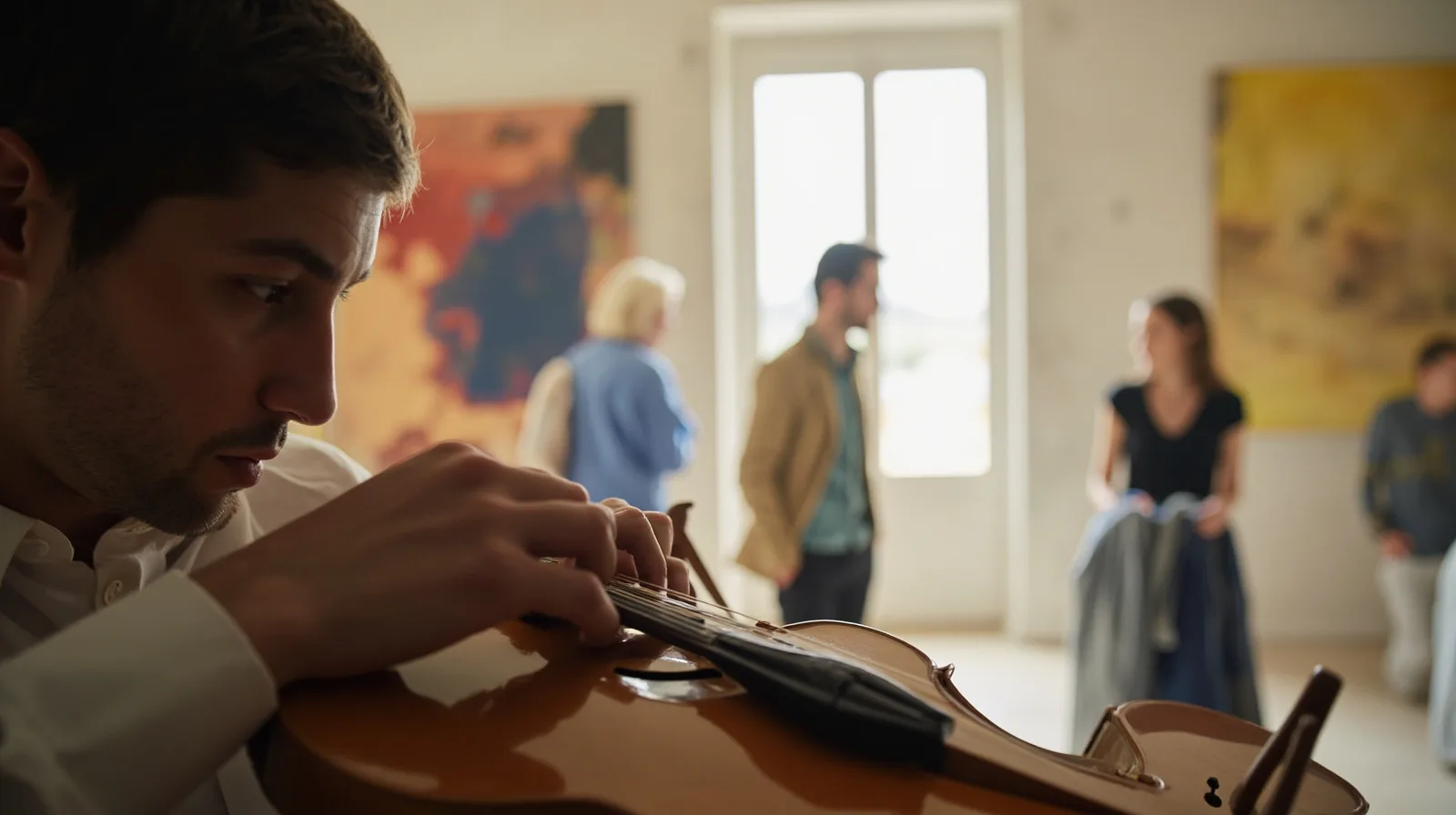
The artist website template at a glance
The artist website template preview shows a one-page layout for sharing art, music, and upcoming dates. The template is available on Free, so you can begin without a paid plan. Its sample content is a fictional demonstration rather than a portfolio promise or an example of results. Replace it with your own work, links, and dates before publishing.
A one-page site works well when every visitor has a simple next step: view a gallery, read about your practice, listen through an external link, or find a contact channel. It also keeps the editing manageable. You can describe services and previous work in ordinary Text sections and place photos in a Gallery, while richer layouts remain optional upgrades.
- Format: one editable page.
- Best suited to: portfolios, music links, services, and upcoming dates.
- Starting cost: Free; no payment is needed to use the artist template.
- Hosting: QREasy publishes the site at an address that can display later edits.
Choose sections that support your visitors
Review the QREasy website templates and the artist preview before editing. Treat what appears in the chosen template as its starting content; describe a section added later separately. This prevents assumptions about a built-in services area, dedicated event registration, or customer form that the selected layout may not contain.
On Free, available section types include Restaurant menu, Links, Products, Gallery, Text, Contact, Social, Save Contact, and Events. For an artist, Text can introduce your discipline, Gallery can show photographs, Links can point to music or booking pages, Social can connect your profiles, and Events can present upcoming dates.
Richer layouts, including Music, Video, Profile, Service Grid, Editorial Image, and image sliders, require Lite SME or Business to publish. A premium section may be drafted before upgrading, but it cannot go live on Free. A musician can still begin with Text, Gallery, Links, and Events, then decide whether a dedicated Music block is worth the upgrade.
- Text: present your bio, services, teaching, process, or previous work.
- Gallery: display photographs and visual projects.
- Links: connect visitors to music or external booking pages.
- Contact and Social: provide ways to contact you and follow your profiles.
- Events: show upcoming dates without implying registration or automatic confirmation.
Customize, publish, and update
Begin with a clear hierarchy: introduce yourself, show representative work, explain what you offer, and finish with a contact or booking action. Arrange the supported sections so visitors can understand the page without searching. Use concise text and a relevant set of images rather than treating the single page as an archive.
When your edits are ready, publish the website. Access to the live site requires an internet connection, and the same website address can display updated content later. If a date has passed, a recording link has changed, or your project list needs revising, edit and publish the page again instead of creating an unnecessary duplicate.
The step-by-step artist website guide provides a practical editing sequence. Before publishing, check every link on desktop and mobile, confirm that the images represent your own work, and replace fictional sample details. Return to the same website project when information changes; the address remains the main item to share.
Handle enquiries, bookings, and dates carefully
Use contact details and links for direct enquiries. A telephone link can open the dialler, an email link can prepare a message, and a WhatsApp link can open that chat. These actions leave QREasy for the relevant external channel. An enquiry sent this way is not automatically a confirmed appointment or reservation.
QREasy does not provide a verified native customer contact form or enquiry submission inbox. If you already use a separate form or booking provider, you may link to it, but describe it as an external service with its own process. Do not imply that submissions arrive in QREasy, that the platform manages availability, or that it sends automated confirmations.
An external booking provider may confirm reservations under its own rules; that capability is not supplied or determined by QREasy. Use Events to display the dates you enter, but avoid promises such as book instantly, register here, or limited slots available unless your independent provider handles those actions. The artist page shows dates; it does not replace a scheduling system.
Share the artist site with QR codes
A QR code is most useful when it sends people to a stable address. For a hosted QREasy website, a static URL QR code encodes the website address. You can edit the content served at that same address later without changing or reprinting the code. If you replace the address itself, you need a new static QR code.
A dynamic QR code uses a managed redirect. Its destination can be changed without reprinting, subject to plan limits, which can be useful when one printed code should point somewhere different later. Editing a hosted website does not by itself require a dynamic code. Use the QR code generators to create the format that fits your plan and placement.
Neither static nor dynamic QR codes guarantee scanning on every device, camera, or condition. Test the code where you intend to use it, leave enough clear space around it, and provide the direct address as a fallback. For website-linked Wallet cards, the QR encodes the website URL and opens the site in the phone browser; it does not run the website inside the wallet.
Choose the plan that matches your needs
The Free plan covers one website with up to one page, one dynamic QR code, unlimited static QR codes, and seven days of analytics history. It also includes contact Wallet cards. Website-linked Wallet cards require Lite SME or Business, as do premium website sections. Compare the QREasy plans and pricing before adding features or card formats.
Lite SME and Business provide more websites, pages, dynamic QR codes, and analytics history. Choose based on what your artist operation actually needs rather than on features you are unlikely to publish. A single artist page with a few static QR codes can remain on Free; a broader portfolio or connected card workflow may justify an upgrade.
- Free: EUR 0.00 monthly or annually; one website, one page, one dynamic QR, unlimited static QR codes, and seven days of analytics.
- Lite SME: EUR 2.99 monthly or EUR 28.70 annually; three websites, up to four pages each, 50 dynamic QR codes, unlimited static QR codes, and 90 days of analytics.
- Business: EUR 9.99 monthly or EUR 95.90 annually; 33 websites, up to ten pages each, 357 dynamic QR codes, unlimited static QR codes, and 90 days of analytics.
- Contact Wallet cards are included on Free; a card linked to a hosted website needs Lite SME or Business.
- Google Wallet also provides a Visit Page link for a website-linked card.