What belongs on a reusable contact card
A reusable professional card can hold the contact details you share repeatedly: business name, a phone number you actually check, an email address, a booking link or website, and any general information about your services or coverage area. The card is not the place for a specific client's appointment time, a treatment note, or a secondary phone number used only for that visit, because those items belong in the message sent to that client.
If a card you already have still fits how you work today, you can keep using it. Changing details that have not actually changed creates extra work without making it easier for clients to reach you. One-off items, like the agreed next appointment or a particular conversation, sit better in the message or conversation with that client, not on the reusable card.
Choosing between showing, leaving, and sending
Here are three options you can consider for a home visit. Show a contact QR on your phone so the client can scan and review your details on their own device. What happens after the scan depends on the client's phone and their confirmation at that moment. Leave a printed vCard QR behind. The code embeds your contact details, and a compatible phone camera or QR reader lets the recipient review and choose to save. Because the data sits inside the code, a genuine change to the embedded details means printing a new code to share. Send a follow-up message through your own agreed channel after the visit, attaching a contact QR image, or pointing the client to an existing website address if you have one, with a note you tailor to that client.
Paper can still work in spots where phones stay put, while a message leaves a written trail on the client's device. Showing the QR on your phone avoids leaving anything behind, and depends on the client's camera and confirmation. Each method can suit a different moment in the same working day.
Writing a follow-up message that points back to the card
The message can stay short, since the card already holds the details. You can confirm the visit. If you accept rebooking from past clients, you can mention that rebooking is open; if you offer specific availability, you can share a brief availability note. If the client has agreed to a lighter check-in, a one-line note without a specific booking can work. A short reply to a thank-you, or a one-line check before a longer gap, can work without repeating every detail inline.
Keeping the card accurate over time
Some details genuinely shift: a new phone number, a new email, a new website address, or a clearer booking link. When a reusable detail actually changes, the card needs the update. If the shared details sit at a hosted address, you can update content at the same address without reprinting. If the detail sits inside a static printed vCard QR, you will need to print and share a new code so that change reaches clients who already collected the old one. Replacing the card or editing the website does not automatically update a contact the recipient already saved on their phone; a recipient who saved an older version may keep that older copy until they scan or revisit the updated one.
Noticing the client has what they need
After passing on details, you can ask whether anything is missing or hard to read on the client's device. The recipient's phone and their own confirmation at the moment determine whether the contact ends up saved. No single method guarantees an automatic save, so a quick check is a fair way to confirm what the client has in hand before you move on.
Setting up a contact card with QREasy
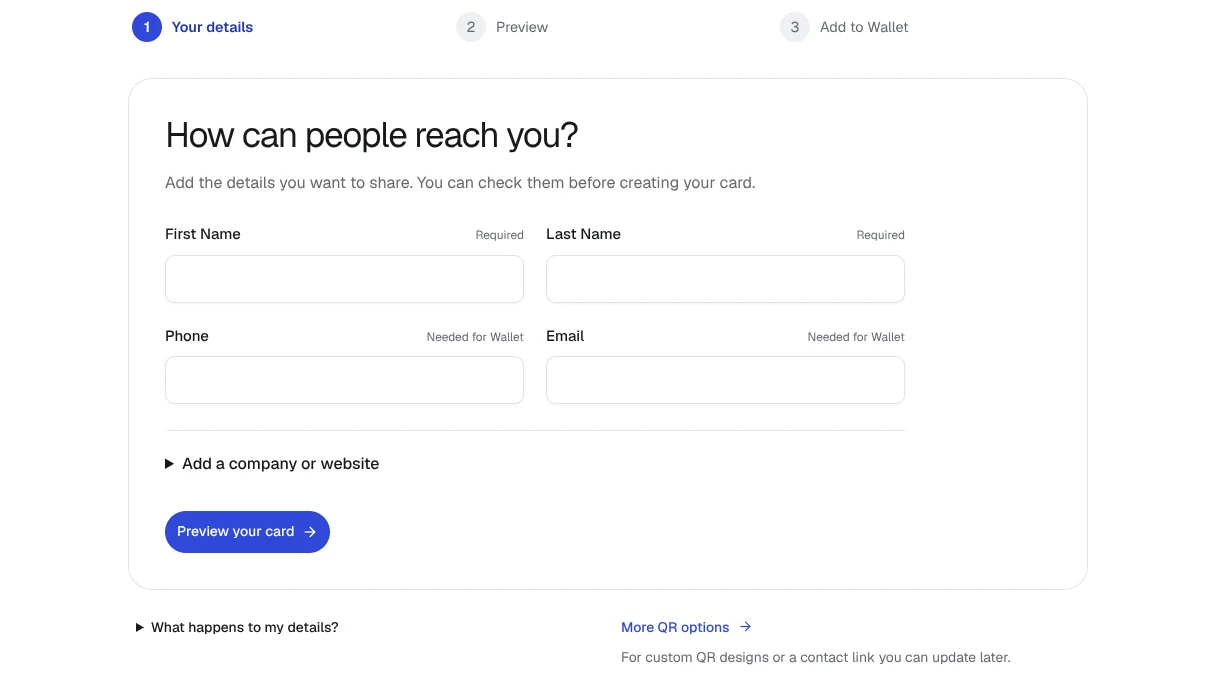
QREasy offers a free contact Wallet card for Apple Wallet and Google Wallet that lets recipients review and save contact details. A separate website Save Contact section works as a button that downloads or opens a vCard file using the section's saved details, and is a different interface from the Wallet card. For readers who also want a small website alongside the card, a beauty template titled Beauty and aesthetics is available on Lite SME or Business plans and can sit alongside the contact card.
You can start the contact Wallet card from the contact QR and Wallet generator.